Getting started
This tutorial takes you from nothing to your first search against a real Iceberg table, using the local Compose stack (GrowlerDB + MinIO object storage + Apache Polaris catalog + the LGTM observability stack). Time: ~10 minutes, mostly the first image build.
Prerequisites
You need Docker with the Compose v2 plugin and just — the
stack runs entirely in containers, so no language toolchains are required. Run it on a Linux host
or a VM, or macOS with Docker Desktop — not inside a container (Docker bind mounts won’t resolve
there). ~4 GB RAM is enough.
Ubuntu / Debian
sudo apt-get update
sudo apt-get install -y docker.io docker-compose-v2 docker-buildx just git curl
sudo systemctl enable --now docker
# optional: run docker without sudo (log out/in afterwards)
sudo usermod -aG docker "$USER"
macOS
brew install --cask docker   # Docker Desktop — bundles Compose v2 + buildx; launch it once
brew install just
Then, on either OS — one /etc/hosts entry
So the curl hydration calls you run on the host can reach the in-container object storage by the
name the stored file paths use:
echo "127.0.0.1 minio" | sudo tee -a /etc/hosts
(The console doesn’t need this — it talks to the gateway, which reaches MinIO inside the Compose network. It’s only for host-side hydration.)
1. Bring up the full stack
From the repo root:
just stack
This builds the GrowlerDB image, brings up MinIO + Polaris, seeds two sample Iceberg tables —
growlerdb.docs (3 rows) and the richer growlerdb.catalog (10 rows) — then starts the control
plane, two nodes, the gateway, and Grafana/LGTM. One node builds the docs index, the other the
catalog index; both serve and register with the control plane, and the single --all-indexes
gateway routes each request to its named index (multi-index routing).
When it settles, the console is at http://localhost:8081 and Grafana at http://localhost:3000.
Two indexes now, so every request names one. With more than one index served, the gateway can’t guess a default: search /
keys:getrequests must include"index":"docs"or"index":"catalog", and the console’s top-left selector switches between them. (Omittingindexreturnsindex required; endpoint serves 2 indexes.)
2. Log in
The demo runs authenticated (not open) so you can see GrowlerDB’s built-in login and per-index access control. Open http://localhost:8081 and you’ll get a login form — sign in with the baked-in demo credential:
| Field | Value |
|---|---|
| Username | demo |
| Password | demo |
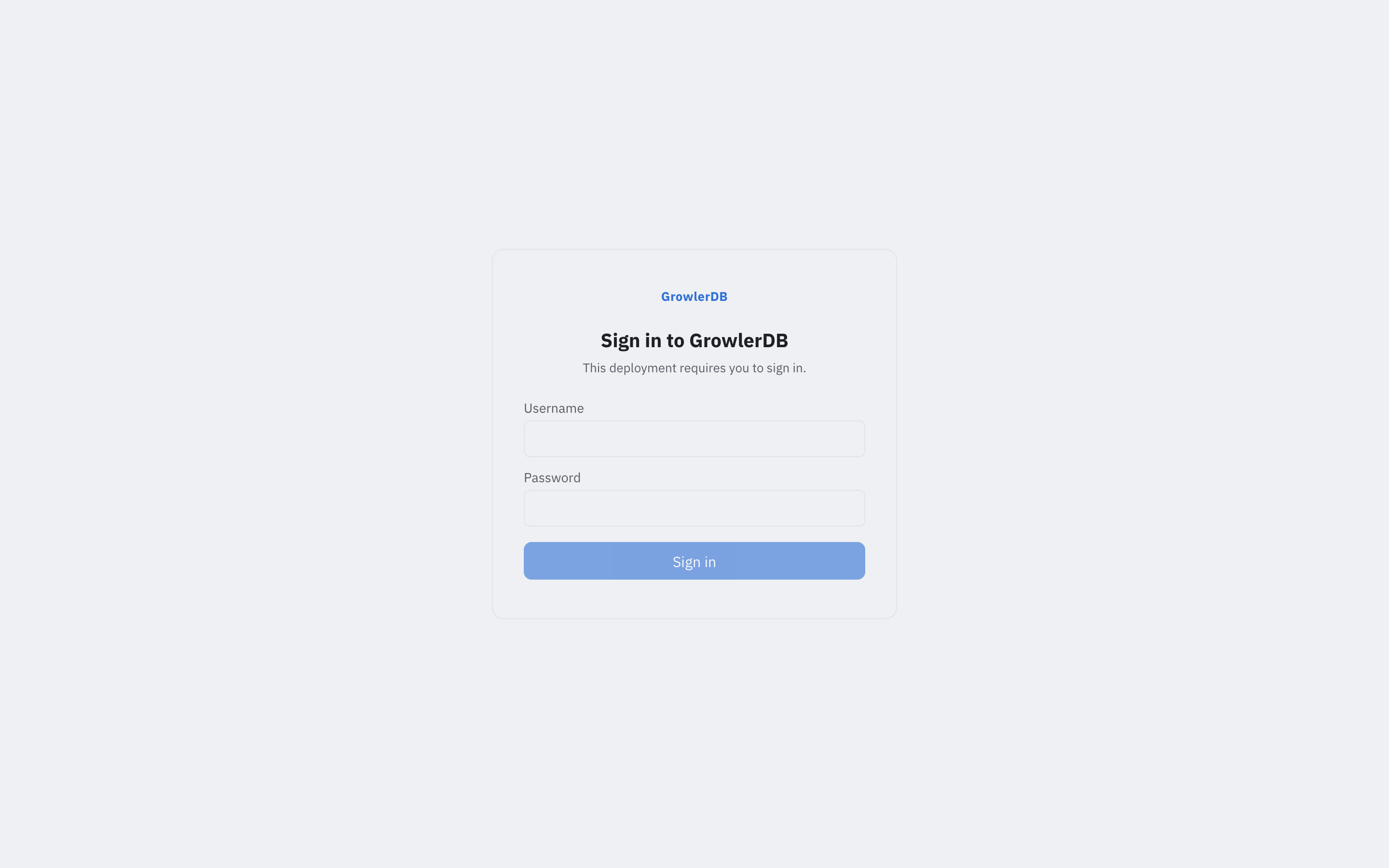
The demo user has the reader + operator roles (query + read index metadata; it can’t create,
drop, or ingest) and is scoped to the docs and catalog indexes — a token issued to it can only
touch those two (per-index RBAC). Sign-in mints a short-lived session token the gateway validates on
every request.
A deliberately well-known demo credential — not a production account (change it via the demo auth env in
deploy/compose/docker-compose.yml).
To call the REST API you need that token. Fetch one from the (unauthenticated) login endpoint and keep
it in a shell variable — the curl examples below send it as -H "authorization: Bearer $TOKEN":
TOKEN=$(curl -s localhost:8081/v1/login -H 'content-type: application/json' \
  -d '{"username":"demo","password":"demo"}' | jq -r .token)
3. Your first search (REST)
The gateway serves the Engine API at :8081. Search returns ranked document coordinates:
curl -s localhost:8081/v1/search -H 'content-type: application/json' -H "authorization: Bearer $TOKEN" \
  -d '{"index":"docs","query":"title:iceberg","limit":5}'
You get the matching keys + scores — no row contents, just the coordinates:
{
  "hits": [
    { "coordinates": { "identifier": [{ "name": "id", "value": "doc-2" }] }, "score": 0.814 }
  ],
  "total": 1, "shards_scanned": 1, "shards_total": 1
}
Now hydrate the authoritative row from Iceberg by that key:
curl -s localhost:8081/v1/keys:get -H 'content-type: application/json' -H "authorization: Bearer $TOKEN" \
  -d '{"index":"docs","keys":[{"identifier":[{"name":"id","value":"doc-2"}]}]}'
{
  "rows": [
    { "key": { "identifier": [{ "name": "id", "value": "doc-2" }] },
      "fields": { "id": "doc-2", "title": "iceberg search",
                  "body": "fast full text search over apache iceberg" } }
  ]
}
That round-trip — search returns keys, keys hydrate to rows from the lake — is the core of GrowlerDB.
4. Explore in the console
Open http://localhost:8081. Pick the catalog index in the top-left selector, type a query like
category:(guide OR reference), and hit Search. Results are a datatable — one row per hit
with its cached fields as columns (author, category, rating, title, views) — no drawer round-trip,
matched terms highlighted per cell:
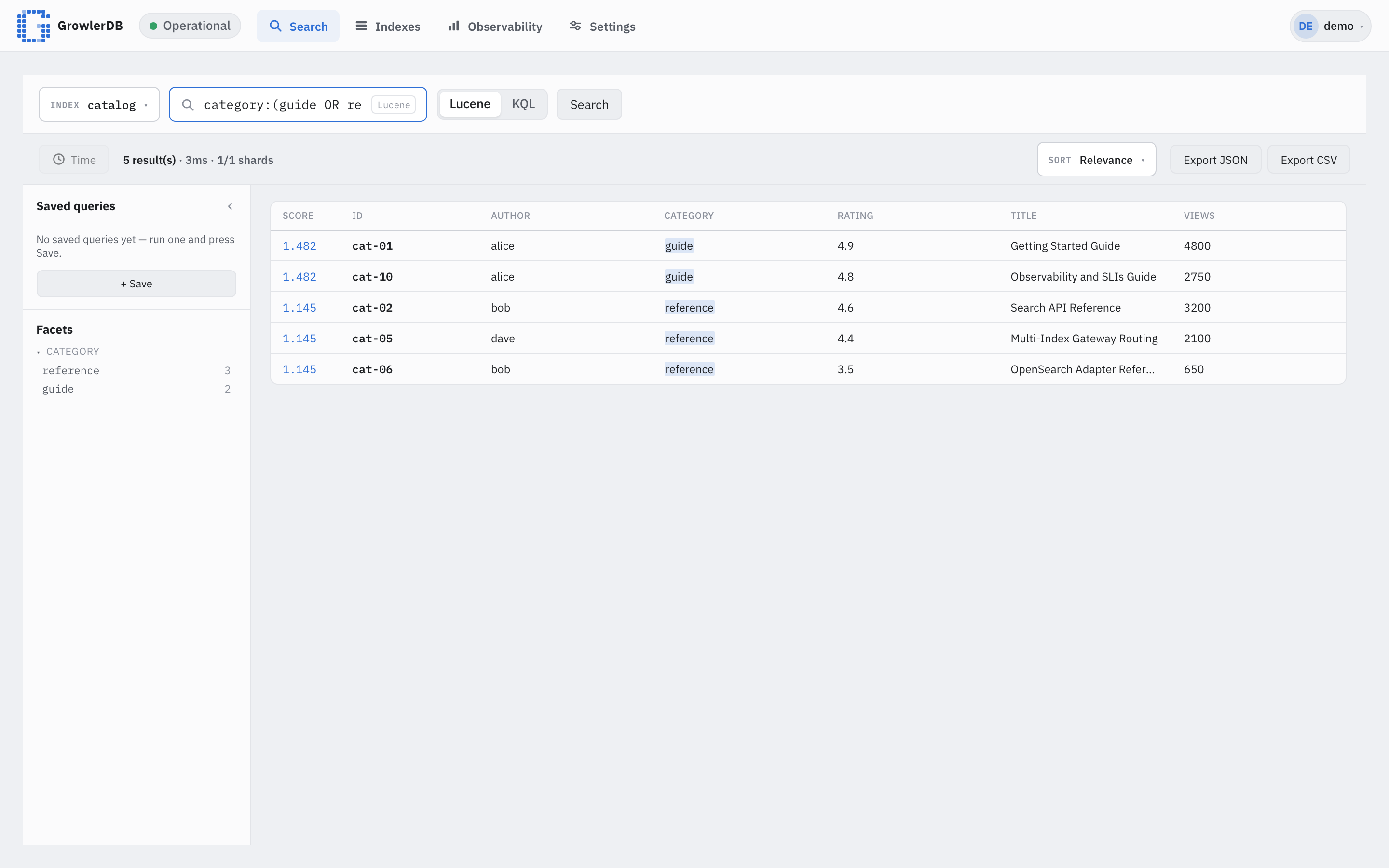
Tip: the top-left selector now switches between the
docsandcatalogindexes — pick the one you want to query. In the console’s Lucene box a bare word (search) queries that index’s default field — qualify it with a field, e.g.body:searchortitle:iceberg, to match. Click a hit to hydrate the full row in the drawer.
- Search & Explore — run queries, inspect hits, hydrate rows in the drawer, export JSON/CSV.
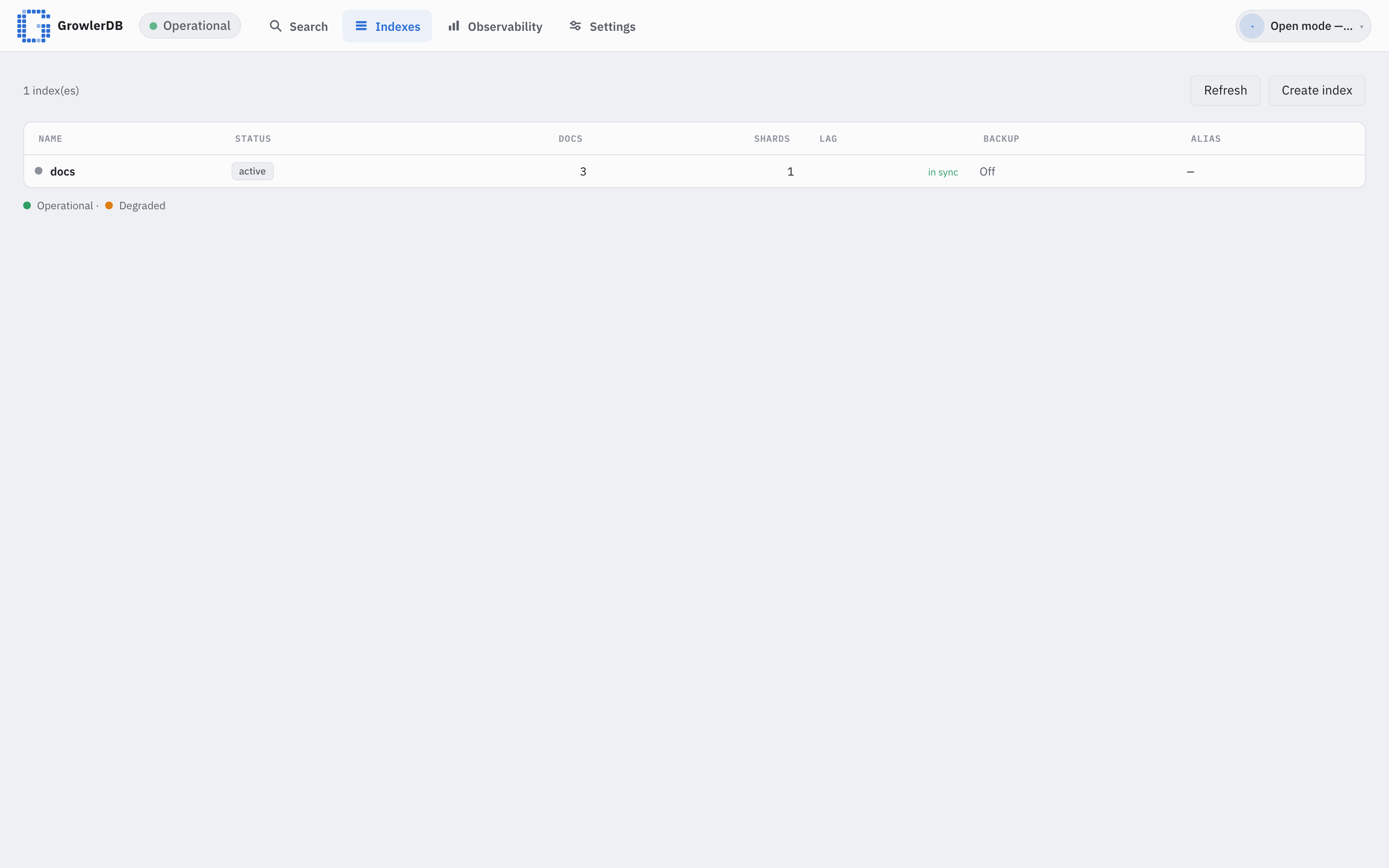
-
Indexes — every index with docs / shards / sync lag / backup state; Create index points at a source table and introspects its schema:
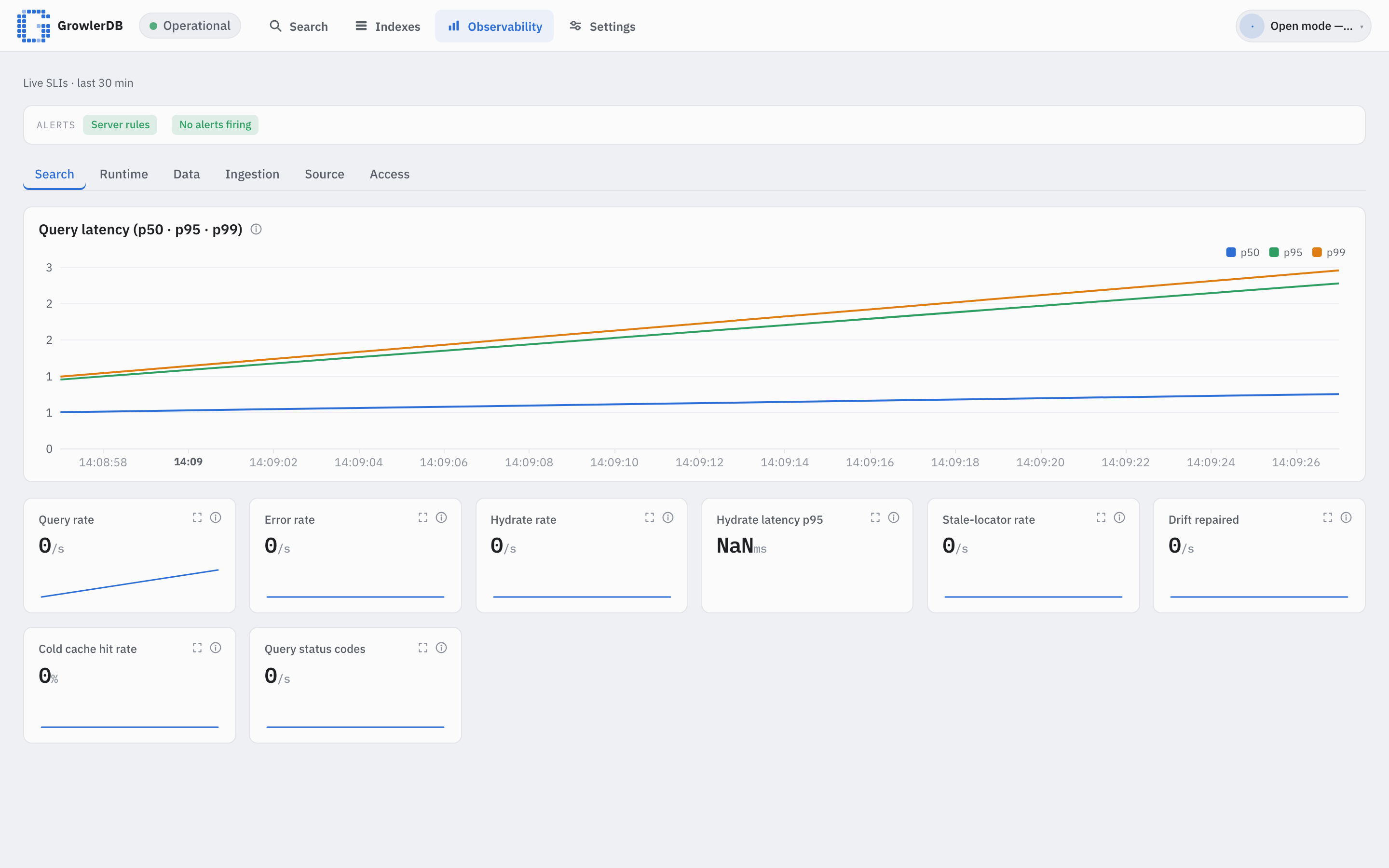
-
Observability — native SLI panels (query rate/errors/latency, hydration, ingestion lag) with a health roll-up; the Ingestion tab shows per-index source-head vs. committed-checkpoint lag:
5. Query playground (the catalog index)
The second seeded index, catalog, is a 10-row catalog of GrowlerDB concepts with a field of
every type — text (title, body), keyword (id, category, author), numeric (views LONG,
rating DOUBLE), a published DATE, a server_ip IP, and an archived BOOL. It’s built for
trying out the query language: every operator below returns a small, known result.
Because two indexes are served, name the index in every request:
curl -s localhost:8081/v1/search -H 'content-type: application/json' -H "authorization: Bearer $TOKEN" \
  -d '{"index":"catalog","query":"body:hydrate","limit":10}'
That returns the two rows whose body mentions hydrate — cat-02 and cat-07.
Lucene operators
Each row below is a query you can drop into the request above ({"index":"catalog","query":"…","limit":10}).
The hits column lists the exact ids expected against the seed data.
| # | Operator | query |
Expected hits (id) |
|---|---|---|---|
| 1 | Term (field) | body:iceberg |
cat-01, cat-03 |
| 2 | Default-field term (bare word → body) |
hydrate |
cat-02, cat-07 |
| 3 | Phrase | body:"system of record" |
cat-03 |
| 4 | Keyword term (exact) | category:reference |
cat-02, cat-05, cat-06 |
| 5 | Set / OR (grouped) | category:(guide OR reference) |
cat-01, cat-02, cat-05, cat-06, cat-10 |
| 6 | Numeric range (LONG, open upper) | views:[2000 TO *] |
cat-01, cat-02, cat-05, cat-10 |
| 7 | Float range (DOUBLE, exclusive) | rating:{4.5 TO 5.0} |
cat-01, cat-02, cat-07, cat-10 |
| 8 | Date range (ISO-date bounds) | published:[2024-01-01 TO *] |
cat-01, cat-02, cat-04, cat-05, cat-09, cat-10 |
| 9 | CIDR (IP field) | server_ip:10.0.0.0/8 |
cat-01, cat-02, cat-04, cat-06, cat-08, cat-10 |
| 10 | Wildcard | author:ca* |
cat-03, cat-07, cat-09 (author carol) |
| 11 | Prefix (category:ref*) |
category:ref* |
cat-02, cat-05, cat-06 |
| 12 | Fuzzy (edit distance 1) | body:hydrat~1 |
cat-02, cat-07 (matches hydrate) |
| 13 | Boost (ranking only) | body:search^2 OR body:iceberg |
cat-01, cat-02, cat-03, cat-07 (search-matching rows ranked higher) |
| 14 | BOOL term | archived:true |
cat-03, cat-06, cat-08 |
| 15 | NOT / - |
-archived:true |
the other 7: cat-01, cat-02, cat-04, cat-05, cat-07, cat-09, cat-10 |
| 16 | Match-all | *:* |
all 10 rows |
| 17 | Regex (KEYWORD id) |
id:/cat-0[12]/ |
cat-01, cat-02 |
A few notes:
- #2 default field. A bare term queries
bodybecausebodyis the first TEXT field in thecatalogmapping (the engine’s default search field is the first analyzed text field).titleis also TEXT but must be qualified (title:reference→ cat-02, cat-06). - #5 grouped set and #7 exclusive range.
category:(guide OR reference)groups two terms on one field — the same match set as writingcategory:guide OR category:referenceout in full.{ }is exclusive,[ ]inclusive — mix them per bound, e.g.views:[1000 TO 2000]→ cat-03, cat-07. - #9 CIDR.
server_ip:192.168.1.0/24narrows to cat-03, cat-05;192.168.0.0/16→ cat-03, cat-05, cat-07, cat-09. The IP field is explicit-only in the mapping (Iceberg has no IP type). - #12 fuzzy / #13 boost. Boost changes only the score, not the match set. Fuzzy
~1allows one edit;hydrat~1still reacheshydrate. - #8 dates.
publishedis a DATE field, so range bounds accept an ISO-8601 date string (2024-01-01) or the equivalent epoch-microseconds (1704067200000000) — both resolve to the same canonical instant, sopublished:[2024-01-01 TO *]andpublished:[1704067200000000 TO *]return the same rows. - #14 BOOL / #15 NOT.
archived:truematches the three archived rows; the negation-archived:true(≡NOT archived:true) returns the other seven.-andNOTare equivalent.
KQL
Send "syntax":"kql" to use KQL instead of Lucene — the difference is lowercase and / or /
not operators (field/range/* syntax is the same):
curl -s localhost:8081/v1/search -H 'content-type: application/json' -H "authorization: Bearer $TOKEN" \
  -d '{"index":"catalog","syntax":"kql","query":"category:guide or category:adr","limit":10}'
→ cat-01, cat-09, cat-10 (same as the Lucene category:guide OR category:adr). Likewise
author:carol and not category:concept → cat-09.
Sort by a fast field
views, rating, and published are fast fields (columnar) — sort, range, and aggregation use
them. Sort by one instead of relevance:
curl -s localhost:8081/v1/search -H 'content-type: application/json' -H "authorization: Bearer $TOKEN" \
  -d '{"index":"catalog","query":"*:*","sort":[{"field":"views","desc":true}],"limit":3}'
→ the three most-viewed: cat-01 (4800), cat-02 (3200), cat-10 (2750).
In the console, each result row shows the index’s cached fields (here title, category, author,
rating, views) inline to the right of the primary key — lighter font, with your query terms
highlighted — so the valuable data is visible without opening the detail drawer.
6. Use the OpenSearch adapter (optional)
The stack enables the OpenSearch-compatible adapter, so OpenSearch clients work against the same data:
curl -s localhost:8081/docs/_search -H 'content-type: application/json' -H "authorization: Bearer $TOKEN" \
  -d '{"query":{"match":{"body":"search"}},"size":5}'
You get OpenSearch-shaped documents — _id from the key, _source hydrated from Iceberg:
{
  "hits": { "hits": [
    { "_index": "docs", "_id": "doc-2", "_score": 0.451,
      "_source": { "id": "doc-2", "title": "iceberg search",
                   "body": "fast full text search over apache iceberg" } },
    { "_index": "docs", "_id": "doc-3", "_score": 0.451, "_source": { "id": "doc-3", "...": "..." } }
  ] },
  "_shards": { "total": 1, "successful": 1, "failed": 0, "skipped": 0 }
}
So an existing OpenSearch/Elasticsearch client can point at GrowlerDB unchanged.
7. See the source in Iceberg with Trino (optional)
GrowlerDB keeps Iceberg as the system of record and indexes it. To see that source data directly
— and compare it with what GrowlerDB returns — bring up Trino (SQL over the same Polaris
catalog + MinIO the seed wrote). It’s gated behind the trino profile (Trino is a JVM, so it’s not
in the base stack):
docker compose -f deploy/compose/docker-compose.yml --profile trino up -d trino
Query the same tables GrowlerDB indexes (iceberg.<namespace>.<table>):
docker compose -f deploy/compose/docker-compose.yml exec trino \
  trino --execute "SELECT id, title, body FROM iceberg.growlerdb.docs ORDER BY id"
"doc-1","welcome","hello world, welcome to growlerdb"
"doc-2","iceberg search","fast full text search over apache iceberg"
"doc-3","hydration","search returns keys that hydrate authoritative rows"
Those are exactly the rows a GrowlerDB search hydrates — body:iceberg returns doc-2 above, and
here you can see the full row in Iceberg. The next section uses this Trino connection to run the full
insert → reindex → search loop.
8. The full cycle: add a document, then find it
Iceberg is the source of truth, so a new row starts in the lake and GrowlerDB catches up by
reindexing from source. This section walks the whole loop against the richer catalog index
(section 5): insert cat-11 via Trino SQL, reindex, then search for it.
Insert a row via Trino
With Trino up (section 7), insert one row into iceberg.growlerdb.catalog — a value for every
column, matching the table’s types (views BIGINT, rating DOUBLE, published epoch-ms BIGINT,
archived BOOLEAN, the rest VARCHAR):
docker compose -f deploy/compose/docker-compose.yml exec trino trino --execute \
  "INSERT INTO iceberg.growlerdb.catalog VALUES ('cat-11','Trino Insert Roundtrip','insert a row through trino then reindex growlerdb to make it searchable end to end','tutorial','alice',BIGINT '1234',DOUBLE '4.5',BIGINT '1719792000000','10.0.5.11',false)"
1719792000000 is 2024-07-01 in epoch-milliseconds (the published field’s format: epoch_ms).
The row is now in Iceberg — a Trino SELECT ... WHERE id = 'cat-11' shows it immediately — but the
catalog index doesn’t know about it yet. A search for it still returns nothing until we reindex.
Reindex the catalog index (needs the admin token)
GrowlerDB rebuilds an index from its source with POST /v1/index:reindex {"index":"catalog"}. This is
an Admin-scoped operation: in rbac.rs
scope_for_method maps ReindexIndex → Scope::Admin, and the demo user holds only reader +
operator (Search, IndexRead, Ops — not Admin). So the demo token cannot reindex; it gets a
403 (`ReindexIndex` requires the `admin` scope). Use the built-in admin user instead.
The control plane seeds an admin user on first boot and, since no password is set in the demo env,
prints a generated one once in its logs. Grab it, then log in as admin for an admin-scoped token:
# The admin password, printed once at first startup:
docker compose -f deploy/compose/docker-compose.yml logs controlplane | grep -A1 'generated password'

# Mint an admin token (same /v1/login endpoint, admin credential):
ADMIN_TOKEN=$(curl -s localhost:8081/v1/login -H 'content-type: application/json' \
  -d '{"username":"admin","password":"<paste-the-printed-password>"}' | jq -r .token)
Now reindex catalog with the admin bearer — GrowlerDB re-reads the Iceberg table (all 11 rows) and
durably swaps the rebuilt index in:
curl -s localhost:8081/v1/index:reindex -H 'content-type: application/json' \
  -H "authorization: Bearer $ADMIN_TOKEN" -d '{"index":"catalog"}'
{ "doc_count": 11, "snapshot": "…" }
doc_count: 11 confirms the new row was picked up.
Search for the new row
Back with the ordinary demo $TOKEN (reader is enough to query), search for a term unique to cat-11
— its body is the only one mentioning trino:
curl -s localhost:8081/v1/search -H 'content-type: application/json' -H "authorization: Bearer $TOKEN" \
  -d '{"index":"catalog","query":"body:trino","limit":5}'
{ "hits": [ { "coordinates": { "identifier": [{ "name": "id", "value": "cat-11" }] }, "score": 0.9 } ],
  "total": 1, "shards_scanned": 1, "shards_total": 1 }
cat-11 now appears — the full insert (Trino) → reindex (from source) → search loop, with Trino
and GrowlerDB reading one source of truth. Hydrate it with keys:get (section 3) to see every column.
Continuous sync instead of manual reindex. Reindex is a full rebuild you trigger by hand. For a table that changes continuously, GrowlerDB reads the Iceberg changelog and ingests incrementally — the streaming demo (
just pipeline) wires generator → Redpanda → Iceberg → connector → index so new rows appear without a reindex. Watch it on the console’s Observability → Ingestion screen and indeploy/compose/pipeline/README.md.
9. Tear down
just stack-down
Troubleshooting
- First
just stackis slow (~10 min). It compiles the GrowlerDB image once; subsequent starts reuse the cached image and take seconds. - Search returns
0 resultsin the console. Select the right index (docsorcatalog, top-left) and qualify the term with a field —body:search, not a baresearch(a bare term only matches the default field). - REST search/
keys:getreturnsindex required; endpoint serves 2 indexes. The stack now serves two indexes, so the gateway can’t pick a default — add"index":"docs"or"index":"catalog"to the request body. keys:get/ hydration errors on the host (nodename nor servname/ connection refused): add the127.0.0.1 minio/etc/hostsentry from Prerequisites — host-side hydration reads object storage by that name.- Ports already in use (
8081,3000,9000): stop the conflicting service orjust stack-downa previous run first. - Console shows “Unknown”/degraded health right after start: the node is still building the
docsindex from the table — give it a few seconds and refresh.
Where to next
- Index your own table: define an index over its columns + key, drop the index definition in via the console’s Indexes → Create (it introspects your source schema).
- Migrate from Elasticsearch/OpenSearch.
- Deploy on Kubernetes.